ALADIN removal
This page describes the removal of ALADIN from your PC.
|
|
How to remove ALADIN: |
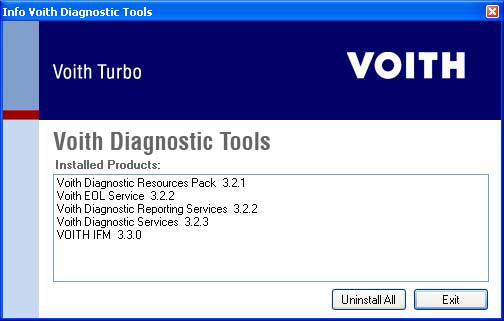
You can remove ALADIN in the Windows menu Start > Programs > Voith Diagnostic Tools > Uninstall . Click on Uninstall All.
ALADIN has now been completely removed from your PC.
 |
Further topics: |
More information on: ALADIN installation
More information on: FAQ
Up > [Hyperlinkleisten stehen auf dieser Website nicht zur Verfügung]
© by Voith Turbo GmbH & Co. KG
send remarks to joachim.ehleiter@voith.com (electronic department)
or r.theilacker@voith.com (electronic department)