
See "IM transmission type"
See "IM transmission model"
Check value(s) of the dataset parameter [transmission type, transmission model] for validity.
If the dataset is faulty, correct the value(s).
This item is only possible with the ALADIN "Expertlevel".
Load dataset with valid values.
This item is only possible with the ALADIN "Expertlevel".
Contact the Voith Service if correction is not possible.
The transmission controller acquires the model and type of transmission from the IM. As a result, the transmission control automatically recognizes the connected transmission.
Read the type of transmission with ALADIN via the transmission controller.
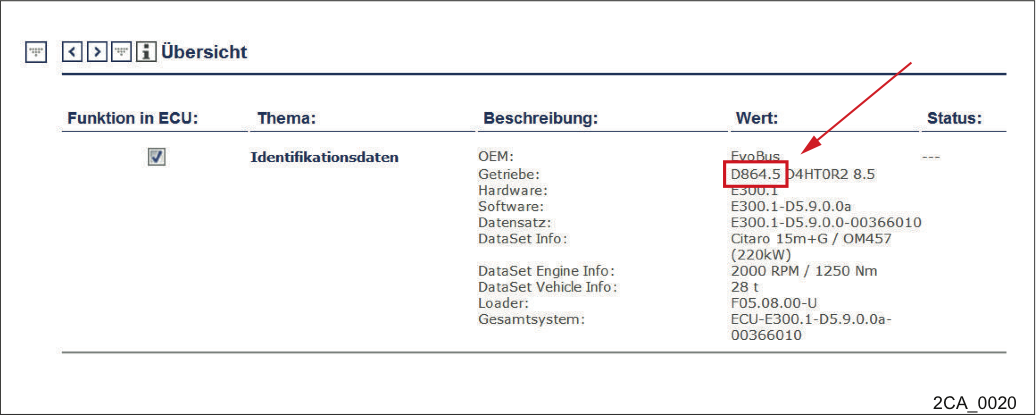
Menu Service -> Overview -> Identification data
The transmission type is either recognizable under the menu option Service -> Overview
or
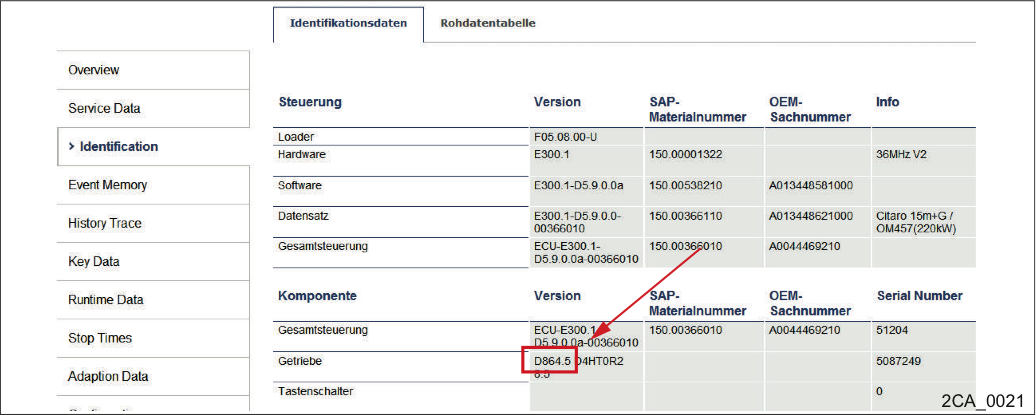
the menu Service -> Overview -> Identification
the transmission type is recognizable under the menu option "Identification“.
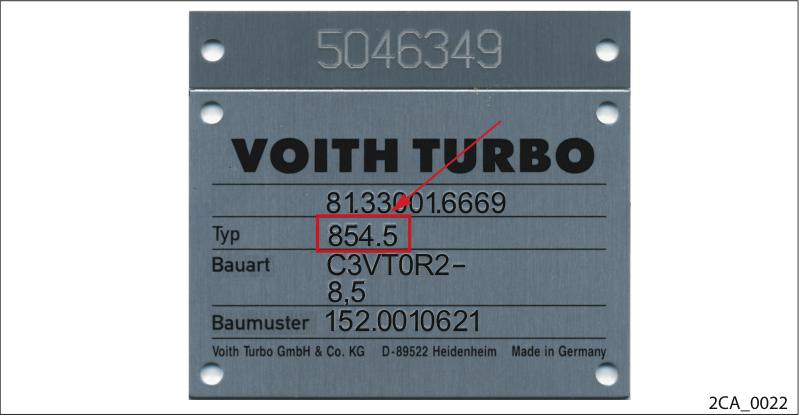
Nameplate
Compare the transmission type on the nameplate with the transmission type in the controller.
If the data of the controller and nameplate do not coincide, please contact the Voith Service department.
The transmission controller acquires the model and type of transmission from the IM. As a result, the transmission control automatically recognizes the connected transmission.
Read the transmission model with ALADIN.
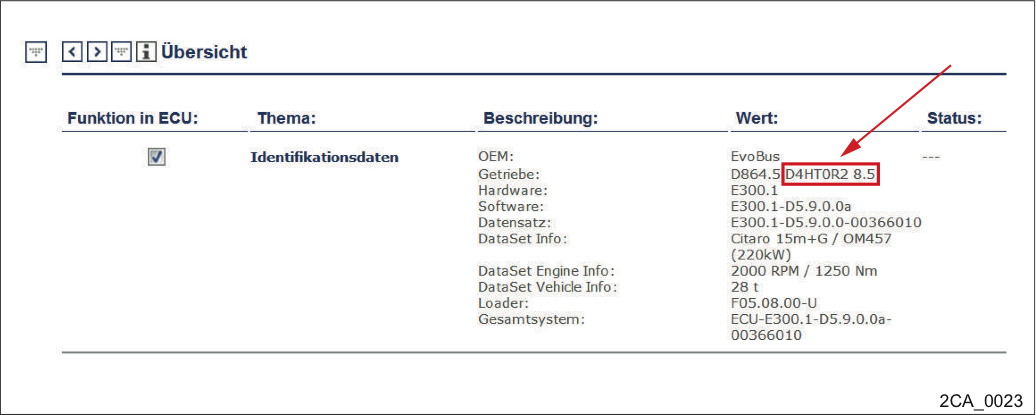
Menu Service -> Overview -> Identification data
The transmission model is either recognizable via the menu option Service -> Overview
or
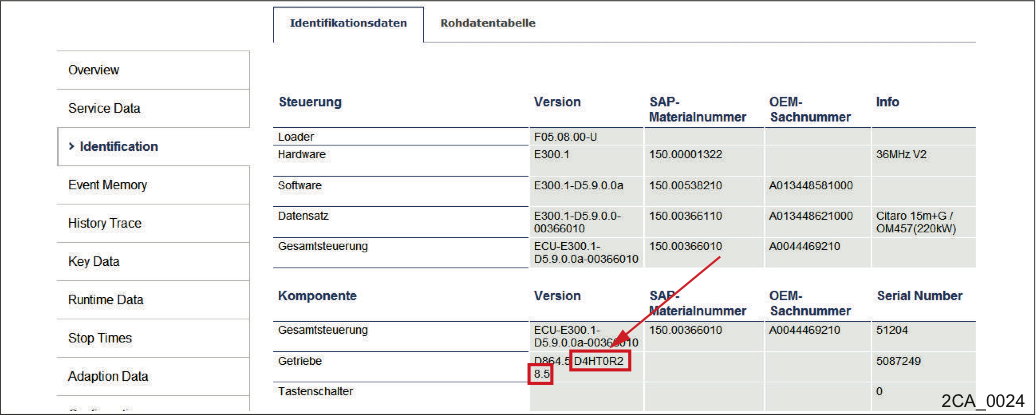
the menu Service -> Overview -> Identification
the transmission model is recognizable via the menu option "Identification".
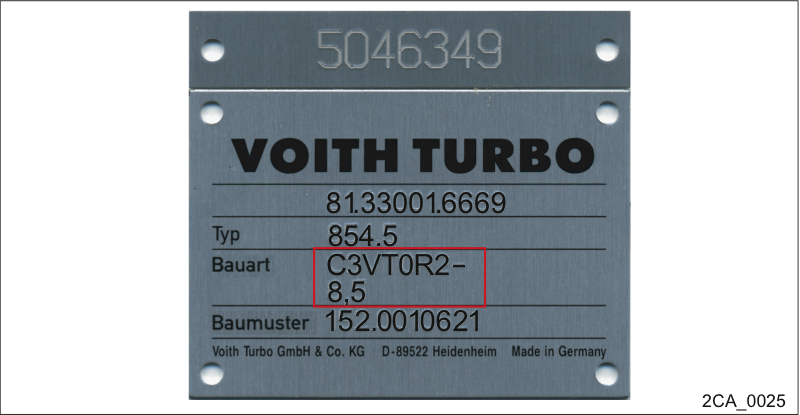
Nameplate
Compare the transmission model on the nameplate with the transmission model in the controller.
If the data of the controller and nameplate do not coincide, please contact the Voith Service department.
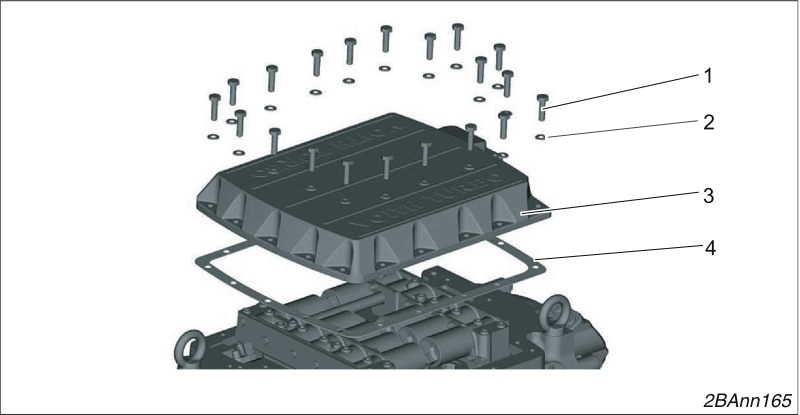
Removing the one-piece control block cover
Loosen 20 screws (1) and remove them with their washers (2).
Remove the cover (3).
Remove the seal (4).
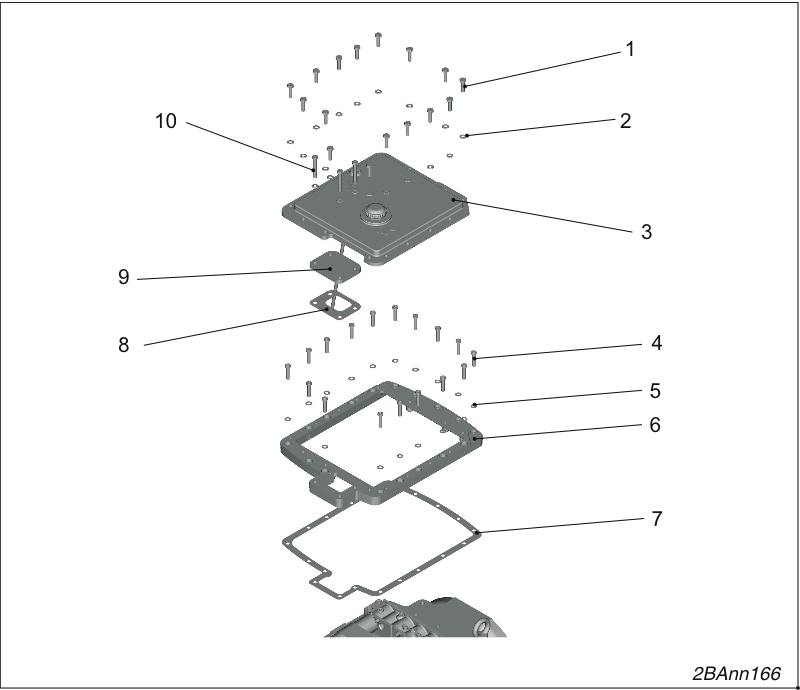
Remove the two-piece control block cover.
Loosen 13 screws (1) and remove them with their washers (2).
Remove the cover (3).
Remove the cover (9).
Remove the seal (8).
Loosen 13 screws (4) and remove them with their washers (5).
Remove the frame (6).
Remove the seal (7).
Installing the control block cover
Insert the new seal (4).
The seal must be free of grease when you install it.
Screw the control block cover (3) tight using 20 hexagon bolts M8 x 30 - 8.8 (1) and washers B 8.4 (2).
Tightening torque 23 Nm.
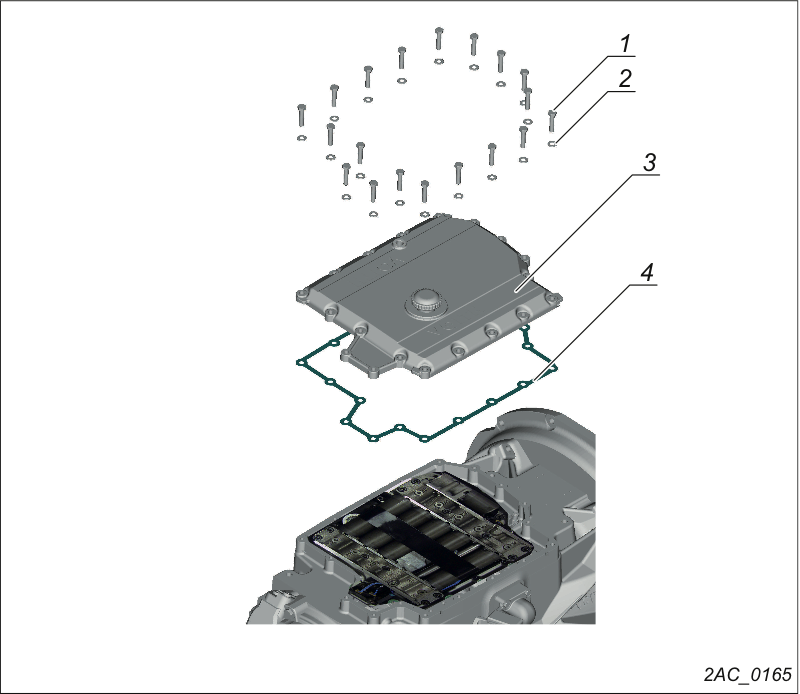
Removing the control block cover
Loosen 20 bolts (1) and remove them with 20 washers (2).
Remove the control block cover (3).
Remove the seal (4).
Installing the control block cover
Insert the new seal (4).
The seal must be free of grease when you install it.
Screw the control block cover (3) tight using 20 hexagon bolts M8 x 30 - 8.8 (1) and washers B 8.4 (2).
Tightening torque 23 Nm.
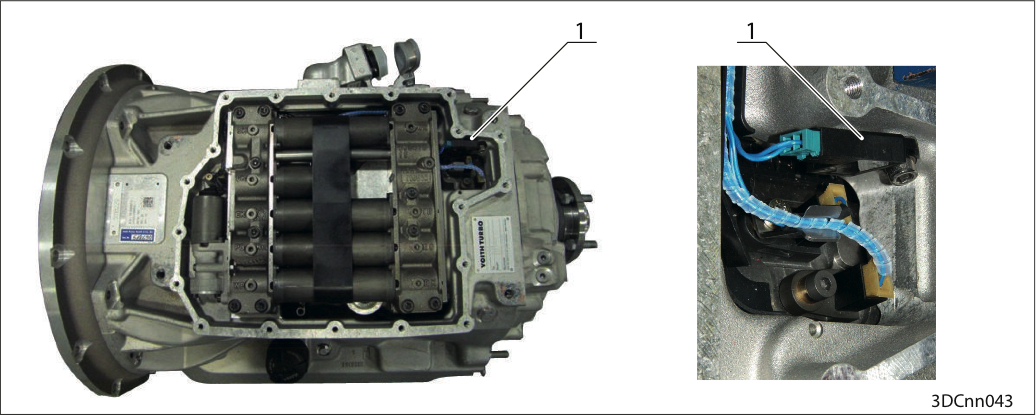
Position IM DIWA.6 (1)
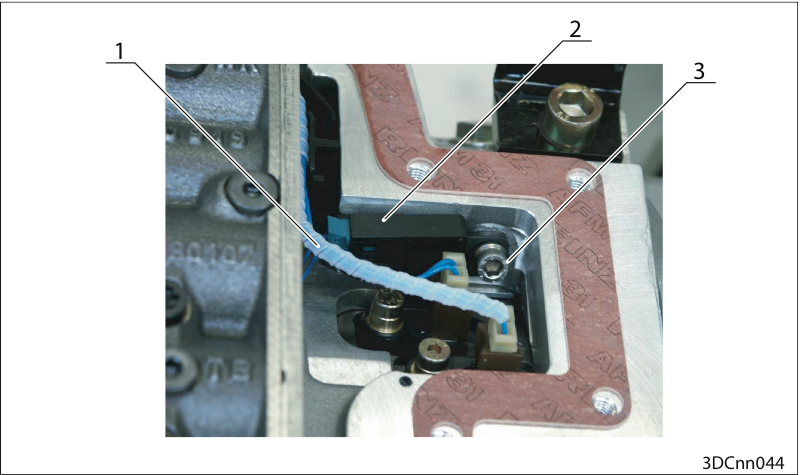
Position IM DIWA.5 (2)
Remove the control block cover
Pull the cable (1).
Loosen the hexagon socket head bolt (3).
Remove the IM (2) from the transmission housing.
Reinstall the IM in reverse order.
Torque 14 Nm (for M6 screw)
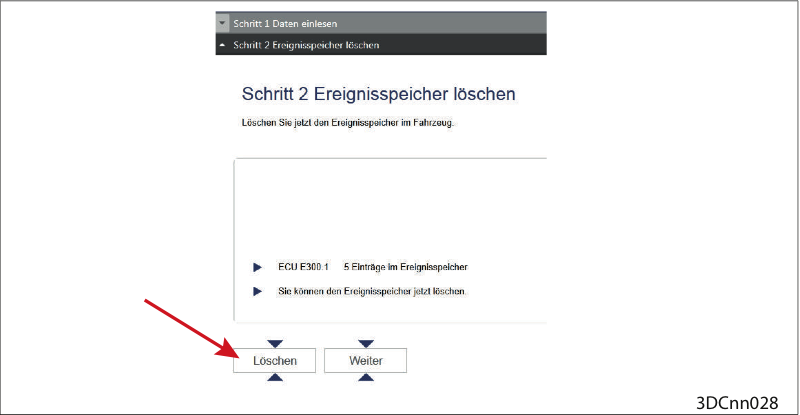
Clear event memory
Clear event memory.
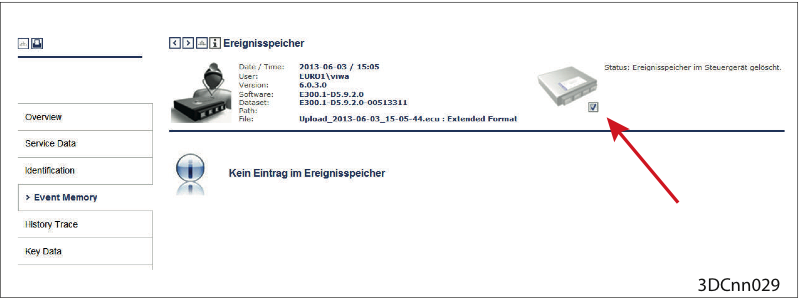
Event memory cleared
Event memory cleared (Check under ("Reporting > Event Memory > Check mark set")
Possibly test drive
Should the fault reoccur:
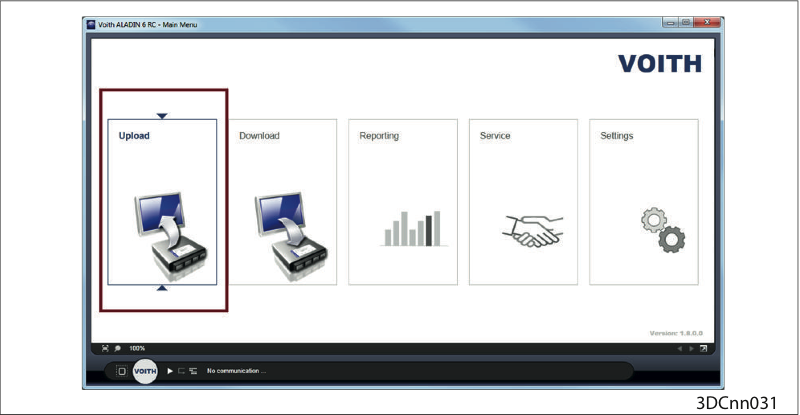
Upload
Perform an upload with the ALADIN diagnosis software.
Then please contact the VOITH customer service.