
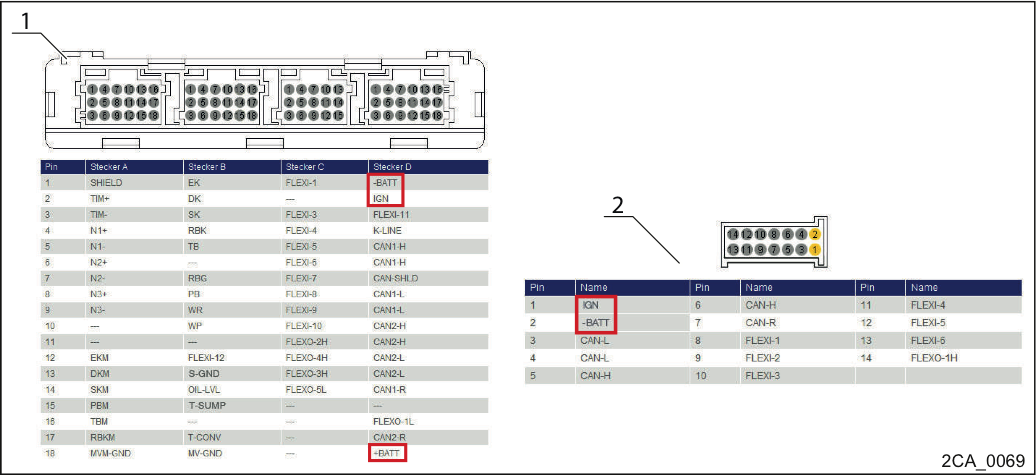
Check the on-board voltage
1. Controller pin assignment
2. Pushbutton selector pin assignment
Using a voltmeter, check the voltage between +BATT / -BATT and
between IGN / -BATT on the controller.
Using a voltmeter, check the voltage between IGN / -BATT on the pushbutton selector.
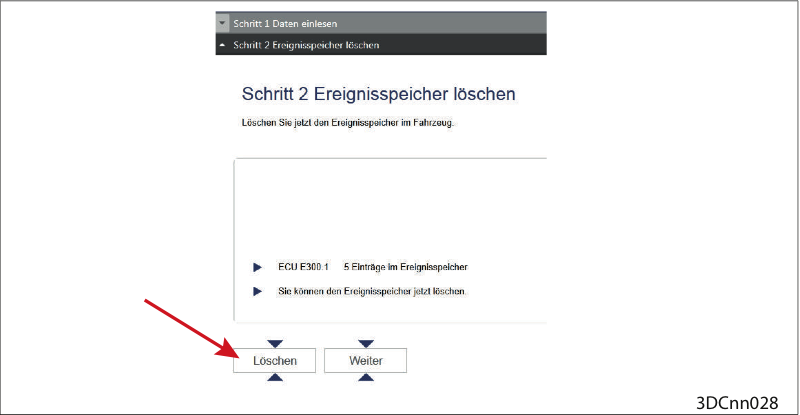
Clear event memory
Clear event memory.
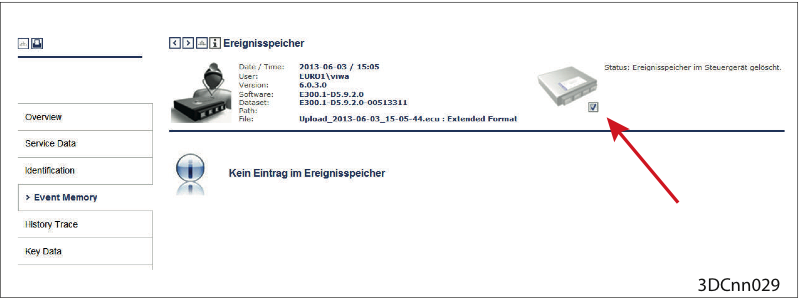
Event memory cleared
Event memory cleared (Check under ("Reporting > Event Memory > Check mark set")
Possibly test drive
Should the fault reoccur:
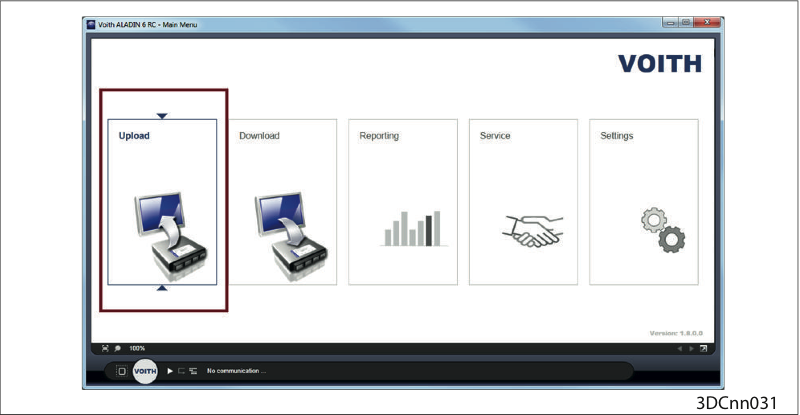
Upload
Perform an upload with the ALADIN diagnosis software.
Then please contact the VOITH customer service.