
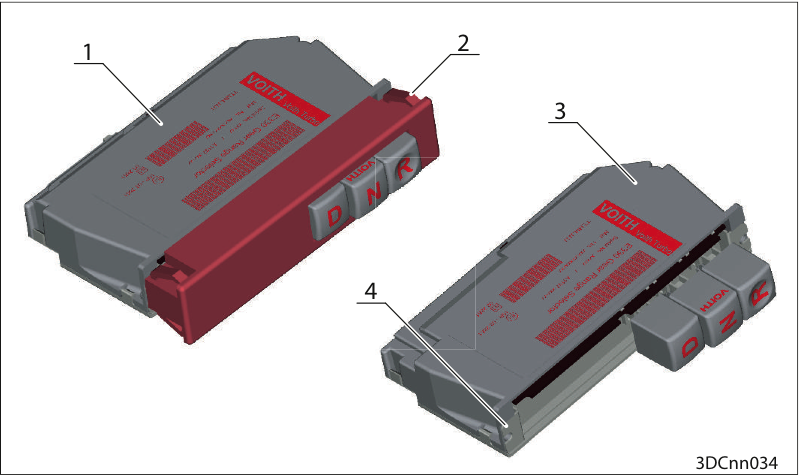
Replace pushbutton selector
1. Pushbutton selector version 1
2. Retaining clamps on the aperture
3. Pushbutton selector version 2
4. Fitting on the instrument panel
Press the pushbutton selector with the aperture out from the rear (behind the instrument panel).
or
Press the clips on the aperture (2) together and push the pushbutton selector out.
Pull out the pushbutton selector.
Disconnect the cabling.
Install the new pushbutton selector in reverse order.
Remove the aperture on the instrument panel.
Remove the two fastening screws (4) on the pushbutton selector.
Pull out the pushbutton selector.
Disconnect the cabling.
Install the new pushbutton selector in reverse order.