
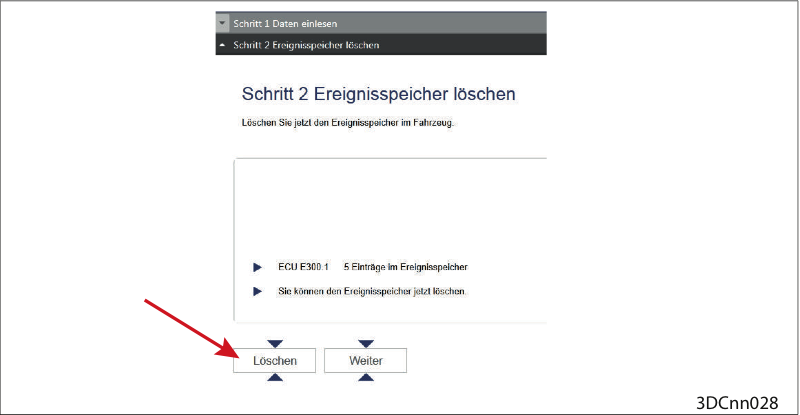
Clear event memory
Clear event memory.
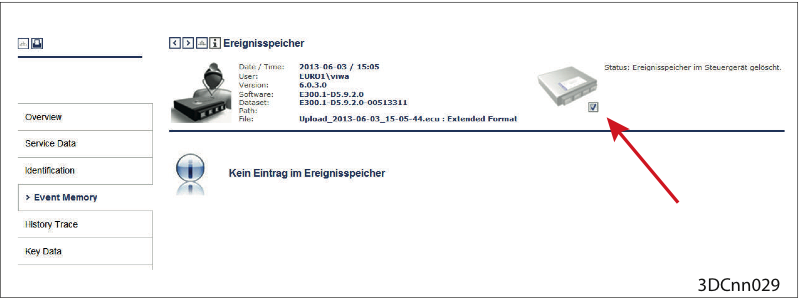
Event memory cleared
Event memory cleared (Check under ("Reporting > Event Memory > Check mark set")
Possibly test drive
Should the fault reoccur:
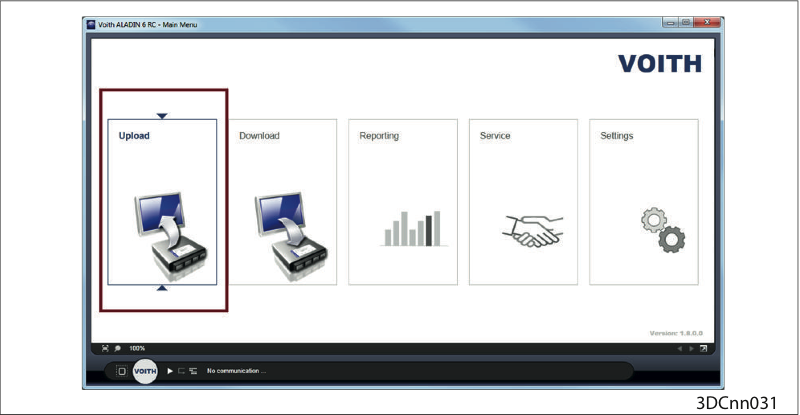
Upload
Perform an upload with the ALADIN diagnosis software.
Then please contact the VOITH customer service.
NOTICE
Damage to the transmission controller due to overvoltage!
Turn the ignition off prior to installation or removal.
Never expose the on-board electrical wiring to higher voltages than 45 V.
Do not touch any contacts to avoid ESD (electrostatic discharging) and soiling
Dismantle/replace the controller and send it to the Voith Customer Service for inspection.
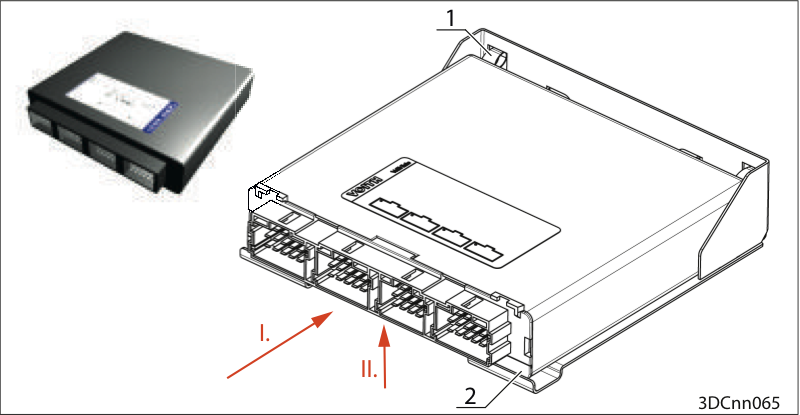
Dismantle the controller
Unplug connectors A, B, C, D (connector secured by "lug", lift "lug")
Press the device backwards (I.) against the springs (1).
List the device out of the rail (2) upwards (II.).
Pull out the device.