
Description 
| Setup |
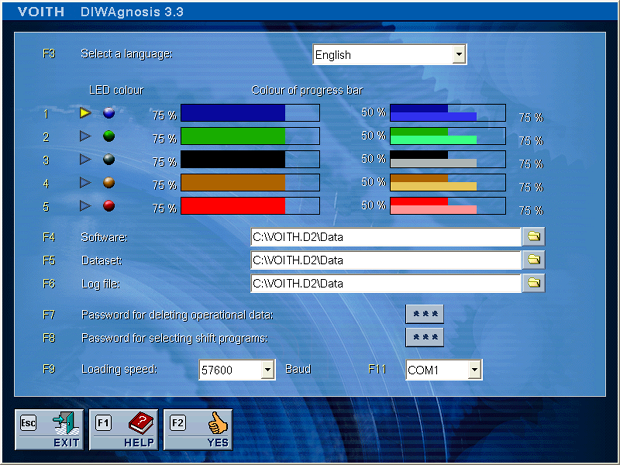
This dialog allows you to tailor the program to your requirements. - Choose language for program dialogs.
- Colour selection for bars and LEDs.
- Selection of the directories and drives where the transmission function software and the data records are located and a directory for the log file which is created upon loading.
- A password is required to delete the operating data and to select shifting programs. The passwords are assigned by the VOITH customer service.
- The "baudrate" defines the speed with which PC and transmission control unit communicate. The higher this value, the faster communication will take place. A faster communication, however, may also be subject to interruptions.
- All serial ports are listed which exist in the control panel of the operating system i.e the permanently installed port (e.g. COM1) and also any retrofitted port e.g. using a PC card (e.g. COM3 or/and COM4).
Please note that the settings will only become active if you have clicked the YES button before leaving the menu. |


