Using the Monitors - Texts window
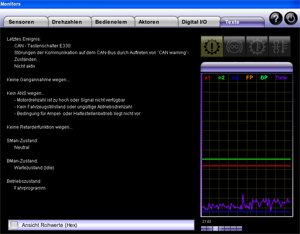
The Texts tab displays the most important current messages. These include the event that was entered last in the event record, the obstacles to ANS and engaging gears, the current operating condition of the transmission control unit, the currently active gear and the current retarder function.
 |
How to open Monitors - Texts: |
Select Service > Monitor 1 > Texts in the main window. If there is communication with a connected transmission control unit, the current messages are displayed automatically.
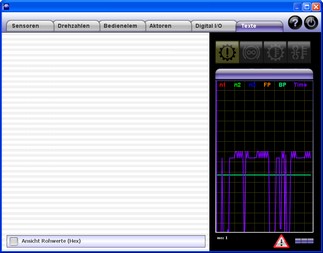
If communication with a transmission control unit is not possible, this will be indicated by a
at the bottom right of the window:
This message is also displayed when communication with a connected transmission control unit has been interrupted.
For help in the event of communication problems, please refer to: Communication problems.
Once you have eliminated the communication problems, click "Yes" if ALADIN is to re-establish communication with a transmission control unit. An existing communication is shown by the progress bar.
|
|
The display of the texts: |
The following messages are displayed in the "Texts" tab.
Message Description Example Last event Displays the event that has been entered last in the event memory. If no event is entered in the event memory, "?" will be displayed. Engine speed sensor:
Line interruption in the sensor circuit
Not active.No gear engaged because... Displays the reason why the gear is not engaged at the moment. If the gear is accepted, nothing will be displayed. Engine speed too high. No ANS because... Displays the reason why the ANS function cannot be activated at the moment. If the ANS function is available, nothing will be displayed. Engine speed too high or invalid output speed No retarder function because... Displays the reason why the retarder function cannot be activated at the moment. If no obstacle is provided, nothing will be displayed. SMan status: Displays the currently active gear. 2nd gear BMan status: Displays the current brake function. Idle Operating state: Displays the operating state of the transmission control unit (for debugging tasks only). Drive program
Perform an upload for selective troubleshooting. For further information, please see: Upload.
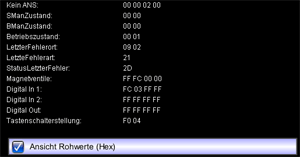
For debugging tasks, there is an option of displaying all values that are read by the transmission control unit and are used for display in the "Monitors" window as a hexadecimal raw value. For this purpose, select the option "View of raw values".
|
|
The general display in Monitors: |
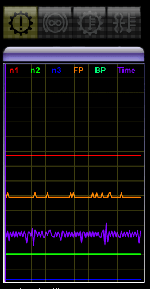
The general display is shown in every tab.
On top, there are four symbols for:
Symbol Description General transmission fault. General retarder fault. Transmission temperature too high. Retarder temperature too high.
Below, there is the real-time display of the following signals:
Signal Description n1 Engine speed / transmission input speed n2 Transmission output speed n3 Turbine speed FP Accelerator pedal position BP Brake pedal position Time Display of the sample time (for debugging tasks only)


|
|
Further topics: |
More information on: Upload
More information on: Event memory
More information on: Active and passive events
More information on: Communication problems
© by Voith Turbo GmbH & Co. KG
send remarks to joachim.ehleiter@voith.com (electronic department)
or r.theilacker@voith.com (electronic department)