Service - IO Test
The IO Test contains a list of all possible digital inputs and outputs. Signals that are not activated in the dataset or EOL appear on a gray background. Signals that are activated in the dataset or EOL are shown with their current status (signal ON / OFF). A signal that is currently "ON" has a blue background. A signal that is currently "OFF" has a white background.
Valid platforms:
- DIWA.3 via E200
- DIWA.3 via E310
- DIWA.5
- DIWA.6 via KWP
- DIWAhybrid E300.1
How to open the IO Test
The IO Test is accessed via the Service group in the main window. Then select the IO Test button in the Service menu.
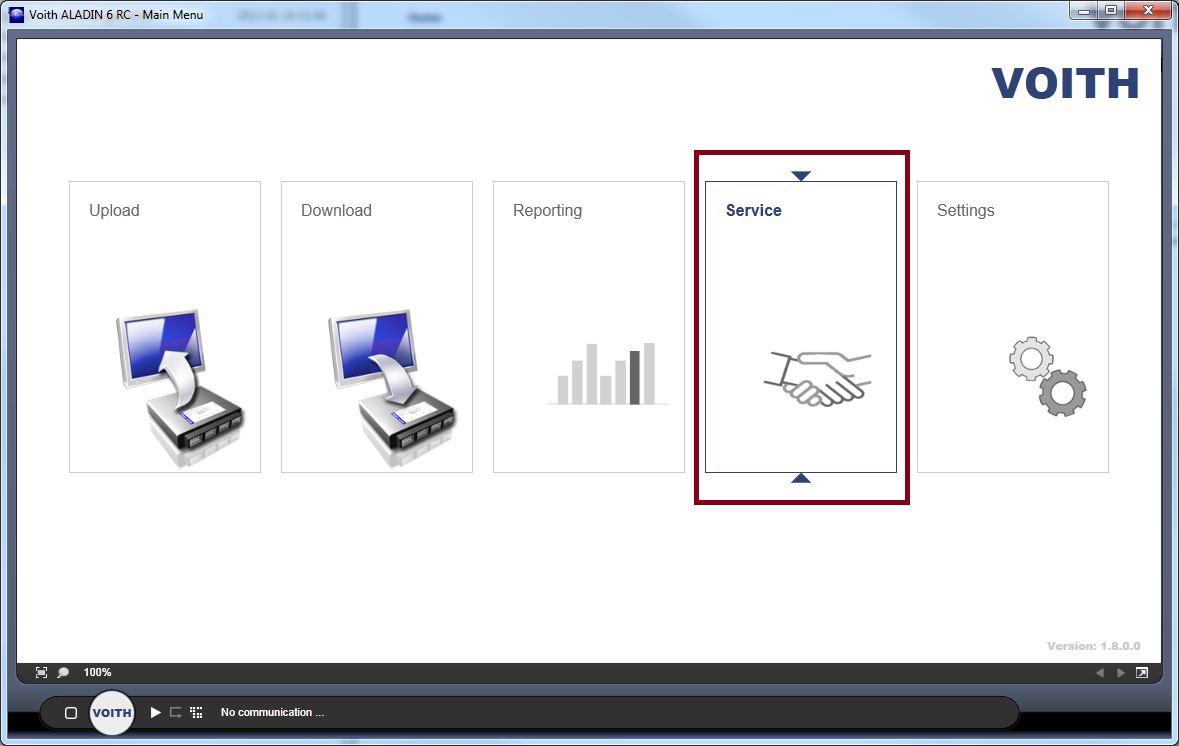

The IO Test is offered depending on the connected ECU. The IO Test is not available without communication.

The display changes automatically after you have started the communication.

The IO Test display
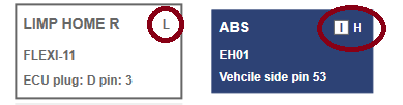
The IO Test shows which signals are configured on the inputs and outputs, whether the signal is currently detected as active, whether the signal is low- or hi-active and on which connection the signal is configured.
| Color | Definition |
| White with dark gray frame | The signal is configured but not active |
| Light gray | The signal is not configured. |
| Blue | The signal is active. |
| White with red frame | The signal is faulty. |
Either the CAN information or the FLEXI/FLEXO connection with the associated plug on the controller is displayed under the signal name.

Signals on the FLEXI/FLEXO connections can be read in as low- or hi-active and also inverted.
The display is to the right of the signal name.
Low- and hi-active are indicated by the letters H and L.
Inverted signals can be identified from the I symbol.