
See "IM transmission type"
See "IM transmission model"
Check value(s) of the dataset parameter [transmission type, transmission model] for validity.
If the dataset is faulty, correct the value(s).
This item is only possible with the ALADIN "Expertlevel".
Load dataset with valid values.
This item is only possible with the ALADIN "Expertlevel".
Contact the Voith Service if correction is not possible.
The transmission controller acquires the model and type of transmission from the IM. As a result, the transmission control automatically recognizes the connected transmission.
Read the type of transmission with ALADIN via the transmission controller.
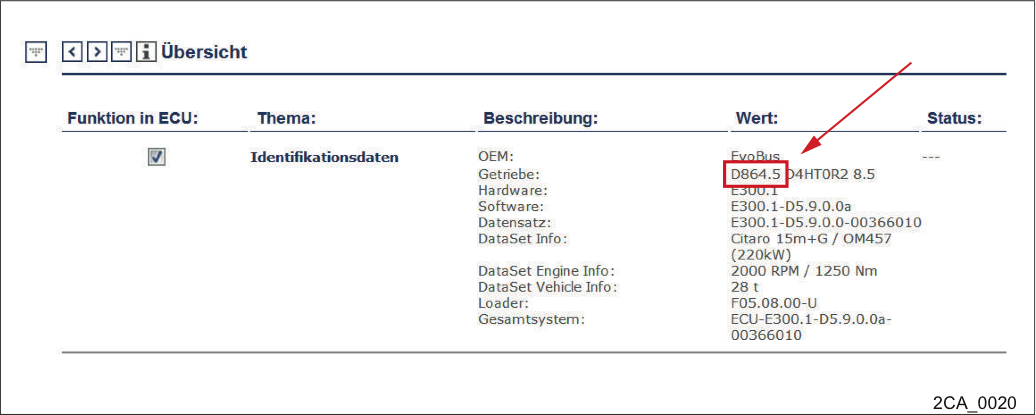
Menu Service -> Overview -> Identification data
The transmission type is either recognizable under the menu option Service -> Overview
or
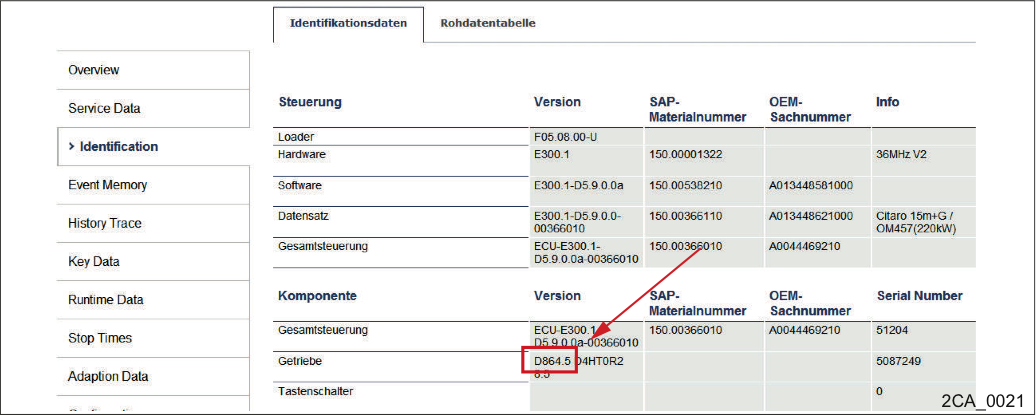
the menu Service -> Overview -> Identification
the transmission type is recognizable under the menu option "Identification“.
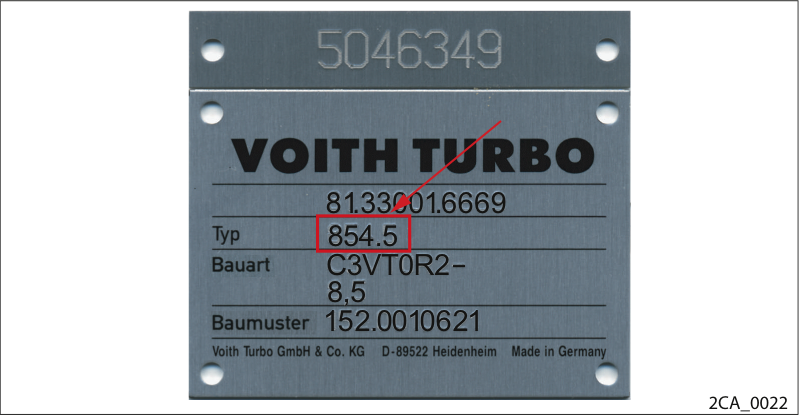
Nameplate
Compare the transmission type on the nameplate with the transmission type in the controller.
If the data of the controller and nameplate do not coincide, please contact the Voith Service department.
The transmission controller acquires the model and type of transmission from the IM. As a result, the transmission control automatically recognizes the connected transmission.
Read the transmission model with ALADIN.
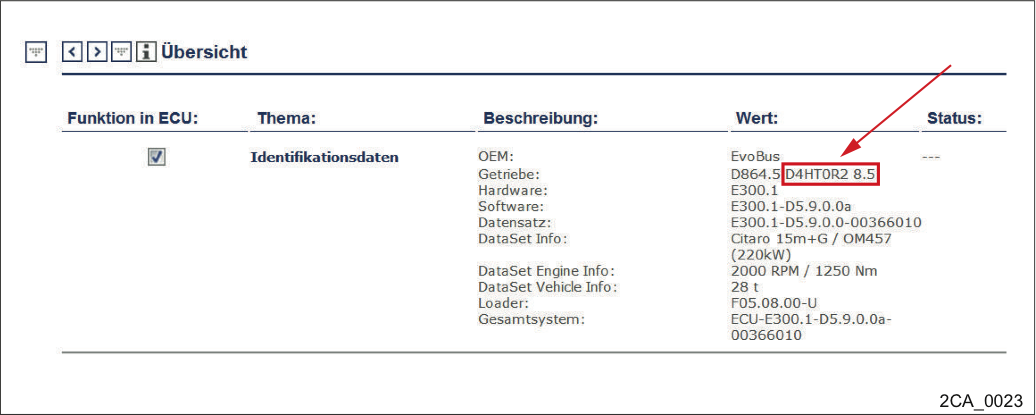
Menu Service -> Overview -> Identification data
The transmission model is either recognizable via the menu option Service -> Overview
or
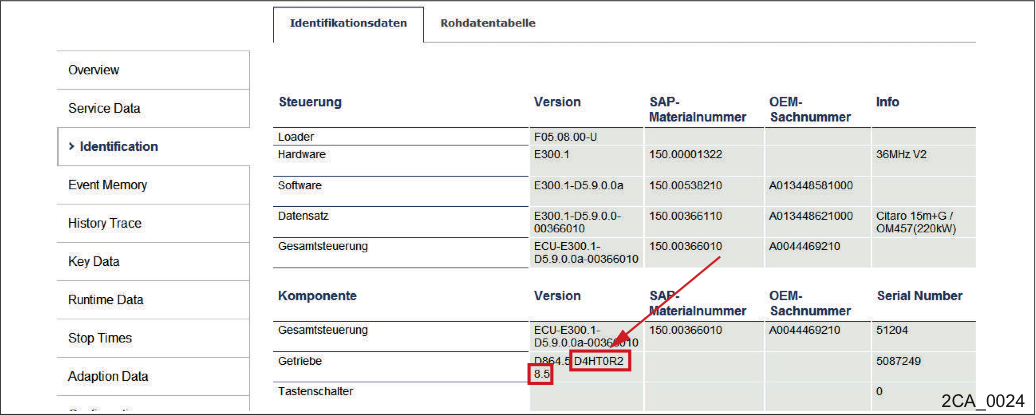
the menu Service -> Overview -> Identification
the transmission model is recognizable via the menu option "Identification".
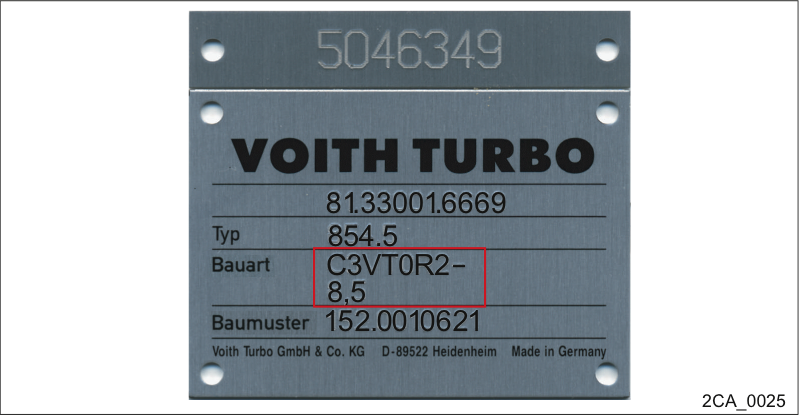
Nameplate
Compare the transmission model on the nameplate with the transmission model in the controller.
If the data of the controller and nameplate do not coincide, please contact the Voith Service department.