Using the Monitors - Actuators window
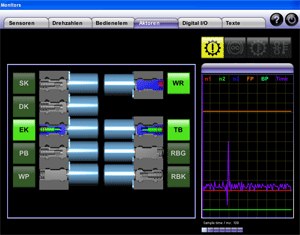
The Actuators tab displays the current status of the solenoid valves in the transmission in real time.
 |
How to open Monitors - Actuators: |
Select Service > Monitor 1 > Actuators. If there is communication with a connected transmission control unit, the current status of the solenoid valves is displayed automatically.
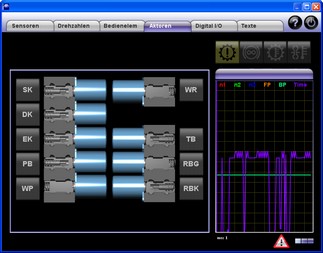
If communication with a transmission control unit is not possible, this will be indicated by a
at the bottom right of the window:
This message is also displayed when communication with a connected transmission control unit has been interrupted.
For help in the event of communication problems, please refer to: Communication problems.
Once you have eliminated the communication problems, click "Yes" if ALADIN is to re-establish communication with a transmission control unit. An existing communication is shown by the progress bar.
|
|
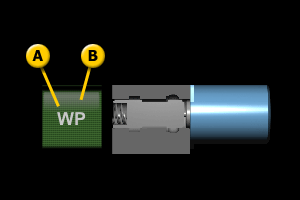
The display of the solenoid valves: |
Field A
Name of the solenoid valveField B
Status of the solenoid valve
Symbol Description The solenoid valve is switched off at the moment. The solenoid valve is energized at the moment. A fault occurred at this solenoid valve. Perform an upload for targeted troubleshooting. For further information, please see: Upload.


|
|
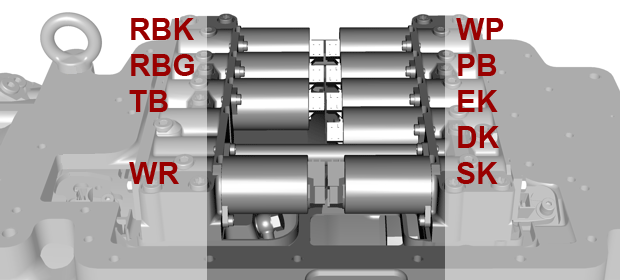
Solenoid valves, installation locations: |
For information on the connector pin assignment for the solenoid valves at the transmission and transmission control unit, please see: Connector pin assignment .
|
|
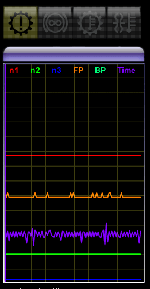
The general display in Monitors: |
The general display is shown in every tab of the Monitors window.
On top, there are four symbols for:
Symbol Description General transmission fault. General retarder fault. Transmission temperature too high. Retarder temperature too high.
Below, there is the real-time display of the following signals:
Signal Description n1 Engine speed / transmission input speed n2 Transmission output speed n3 Turbine speed FP Accelerator pedal position BP Brake pedal position Time Display of the sample time (for debugging tasks only)


|
|
|
Further topics: |
More information on: Report
More information on: Upload
More information on: Connector pin assignment
More information on: Communication problems
More information on: Actuator test
© by Voith Turbo GmbH & Co. KG
send remarks to joachim.ehleiter@voith.com (electronic department)
or r.theilacker@voith.com (electronic department)